 listicle
Smart Pet Cameras Online: 2026 Buying Guide
Table of Contents
- What to Look for in Smart Pet Cameras
- Best Smart Pet Cameras with Treat Dispenser
- Pet Camera Privacy and Security Tips
- How to Set Up Pet Monitoring Cameras
- Smart Pet Cameras for Different Pet Sizes and Temperaments
- Troubleshooting Smart Pet Camera Connectivity Issues
- Frequently Asked Questions
Last Updated: September 28, 2026
What to Look for in Smart Pet Cameras
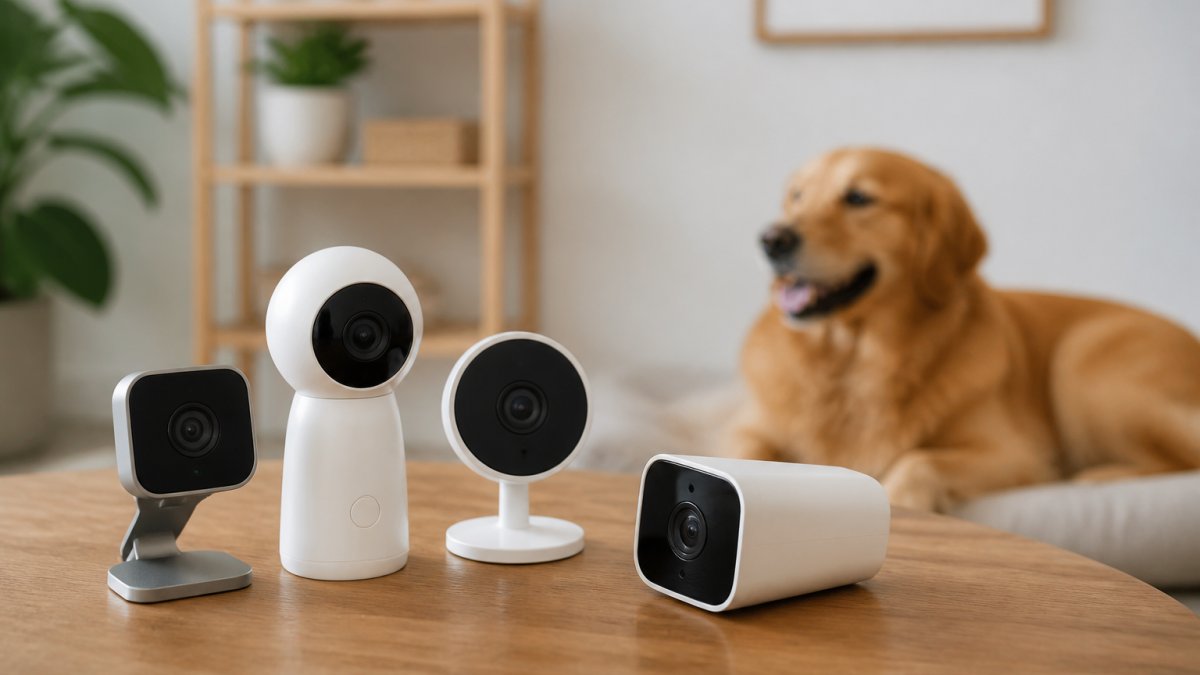
When shopping for smart pet cameras, the right choice depends on your specific needs and home setup. Not every camera works equally well for every situation, and the features that matter most vary based on your pet's behavior and your lifestyle.
The foundation of any good smart pet camera is reliable video quality. You want to see what's happening in real time, whether you're at work or traveling. Beyond that, the best cameras combine practical features like two-way audio, night vision, and motion detection into a seamless experience that actually works when you need it.
Video Resolution and Field of View
HD video resolution is the baseline for any smart pet camera worth buying. Most quality options deliver 1080p resolution, which gives you clear enough footage to see your pet's expressions and movements without frustrating pixelation. The wider your field of view, the more of the room you can monitor at once, typically 110 to 160 degrees depending on the model.
A wider angle lens matters more than you might think. If your camera only covers a narrow slice of the room, your pet can easily wander out of frame exactly when something interesting (or problematic) happens. The trade-off is that ultra-wide angles can create fisheye distortion, so look for cameras that balance coverage with clarity.
Real-time video streaming is non-negotiable. Lag between what's happening and what you see on your phone defeats the purpose of monitoring. Test the app's responsiveness before committing, especially if your home WiFi isn't particularly strong.
Two-Way Audio and Real-Time Alerts
Two-way audio transforms a camera from a passive observer into an interactive tool. You can talk to your pet, call them to their food bowl, or respond immediately if something goes wrong. This feature is particularly valuable for pets with separation anxiety or for training purposes.
Real-time alerts keep you informed without constant phone checking. Motion detection triggers notifications so you know the moment your pet moves around, and some cameras add AI tracking to follow movement across the frame. Push notifications should be customizable so you're alerted to actual activity rather than every shadow or dust particle.
Cloud storage or local storage options determine how you access recordings. Cloud storage requires a subscription but works from anywhere. Local storage keeps footage on a device in your home, which means no monthly fees but limited accessibility when you're away.
Best Smart Pet Cameras with Treat Dispenser
The 6L Smart Automatic Pet Feeder with WiFi & Camera stands out as a practical all-in-one solution for pet parents who want feeding and monitoring combined. At $109.95, it delivers a comprehensive set of features.
This feeder combines WiFi-connected app control with a built-in HD camera so you can watch your pet eat in real time and record precious moments. The 6L capacity holds enough food for multiple days, ideal for both dogs and cats. You can schedule up to 6 meals per day with custom portion sizes, and a voice recording feature lets you call your pet to their bowl from anywhere.
What makes this feeder genuinely useful is the dual power supply. It plugs into standard power with battery backup, so meals never get missed even during outages. The programmable meal scheduling is straightforward enough that you don't need a tech degree to set it up.
The built-in camera means fewer devices cluttering your home, and the app control works from anywhere you have internet. For busy pet parents or anyone traveling frequently, this combination removes guesswork about whether your pet actually ate or is just asking for more food.
| Feature | Benefit | Best For |
|---|---|---|
| WiFi app control | Schedule meals and dispense remotely | Busy professionals and travelers |
| Built-in camera | Monitor feeding in real time | Peace of mind throughout the day |
| 6L capacity | Multiple days of food storage | Households with dogs and cats |
| Programmable scheduling | Up to 6 meals per day | Pets requiring portion control |
| Dual power supply | Battery backup during outages | Reliable feeding regardless of power |
Pet Camera Privacy and Security Tips
Privacy concerns with smart pet cameras are legitimate. These devices connect to your home network and store footage, often in the cloud, which means your home footage could theoretically be accessed by others if security isn't handled properly.
Start with strong WiFi security. Use WPA3 encryption if your router supports it, or WPA2 at minimum. Change your default camera password immediately, using the factory default is an open invitation for unauthorized access. Create a unique, complex password that combines uppercase, lowercase, numbers, and symbols.
Data encryption matters for both video transmission and storage. Look for cameras that encrypt footage both in transit and at rest. This prevents interception of your video feed even if someone gains access to your network. Check the manufacturer's privacy policy to understand exactly how long footage is retained and who can access it.
6L Smart Automatic Pet Feeder with WiFi →
Two-factor authentication adds a meaningful security layer. Enable it on your camera app account so that even if someone obtains your password, they can't access your account without a second verification step. Review your connected devices regularly through the app and disconnect any you don't recognize.
Consider whether you actually need cloud storage, or whether local storage on a device in your home better suits your privacy preferences. Cloud storage is convenient but means your footage lives on someone else's servers. Local storage keeps everything under your control but requires a device with adequate storage capacity.
How to Set Up Pet Monitoring Cameras
Getting your camera working properly requires attention to a few key details. A poorly positioned camera or weak WiFi connection defeats the purpose of having one in the first place.
WiFi Connectivity and App Control
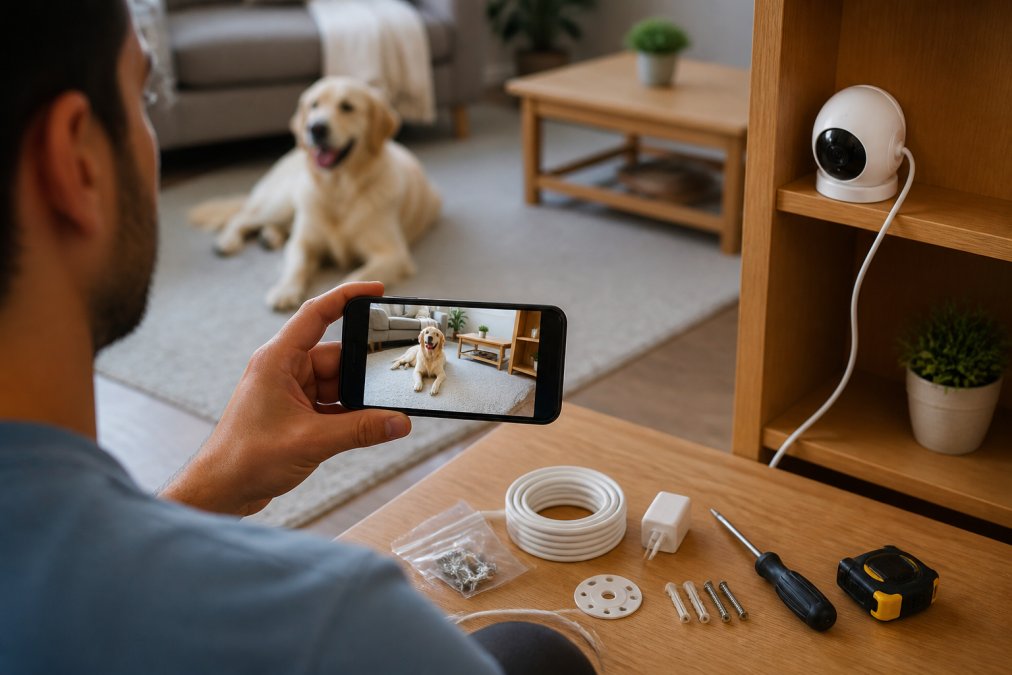
Your camera's performance depends entirely on WiFi strength. Place the camera within 15 meters of your router for reliable connectivity, or use a WiFi extender if that's not possible. Test the connection before mounting, walk around your home with your phone and check app responsiveness in different locations.
Download the manufacturer's app before installation so you understand the setup process. Most modern cameras use QR code pairing, which is faster and more reliable than manual network entry. Connect the camera to your home WiFi, not a guest network, as guest networks often have restrictions that block device communication.
Device compatibility matters. Check that the camera works with your phone's operating system before buying. Some cameras optimize better for iOS or Android, and older phones might struggle with real-time streaming. The app should let you adjust resolution and frame rate to match your internet speed.
Positioning for Optimal Viewing
Height matters more than most people realize. Mount your camera 1 to 1.5 meters off the ground to capture your pet at eye level rather than looking down at the top of their head. This angle shows behavior and expressions much more clearly.
Smart Pet Cameras for Different Pet Sizes and Temperaments
Not every camera setup works equally well for every pet. A hyperactive dog has different monitoring needs than an anxious cat, and a small kitten requires different positioning than a large breed dog.
For Active Dogs and Cats
High-energy pets need cameras with strong motion detection and AI tracking. These features follow movement across the frame so you don't miss action even in a large room. The wide-angle lens becomes more important because active pets move around constantly.
For Anxious or Separation-Prone Pets
Anxious pets benefit most from the automatic treat dispensing feature combined with monitoring. Dispensing a treat while your pet is calm helps reinforce that being alone is fine. The built-in camera lets you time the treats to coincide with moments of settling behavior.
Troubleshooting Smart Pet Camera Connectivity Issues
Most problems with smart pet cameras stem from WiFi connectivity rather than the device itself. Understanding how to diagnose and fix these issues keeps your camera working reliably.
Frequently Asked Questions
What features should I look for in a smart pet camera?
Prioritize 1080p resolution or higher for clear video, a wide-angle lens (at least 110 degrees), two-way audio so you can talk to your pet, night vision for dark rooms, and motion detection with real-time alerts. If you want to feed your pet remotely, look for models with automatic treat dispensing or built-in feeders like the 6L Smart Automatic Pet Feeder with WiFi & Camera ($109.95), which combines monitoring with feeding control.
Are smart pet cameras secure for home use?
Yes, when set up properly. Use strong, unique passwords for your camera app, enable two-factor authentication if available, and keep your WiFi network secure with WPA3 encryption. Check that your camera provider uses data encryption for video storage and transmission. Avoid public WiFi when accessing your camera feed, and review your camera's privacy policy to understand how footage is stored and who can access it.
How do I set up pet monitoring cameras in my home?
Start by choosing a location with clear WiFi signal and a view of your pet's main areas. Mount the camera at a height that captures their movement without blind spots. Connect the camera to your home WiFi through the mobile app, then test the video feed and audio. Position it away from direct sunlight to avoid glare. For feeders with cameras like the 6L Smart Automatic Pet Feeder, place it near your pet's regular feeding spot and program meal times through the app.
Can I monitor my pet from my smartphone while at work?
Yes. Most smart pet cameras connect to your phone via a mobile app, allowing you to view live video, hear audio, and send two-way communication from anywhere with internet access. Many also send push notifications when motion is detected, so you'll know if your pet is active or in distress. Some models let you remotely dispense treats or food, giving you extra peace of mind throughout the day.