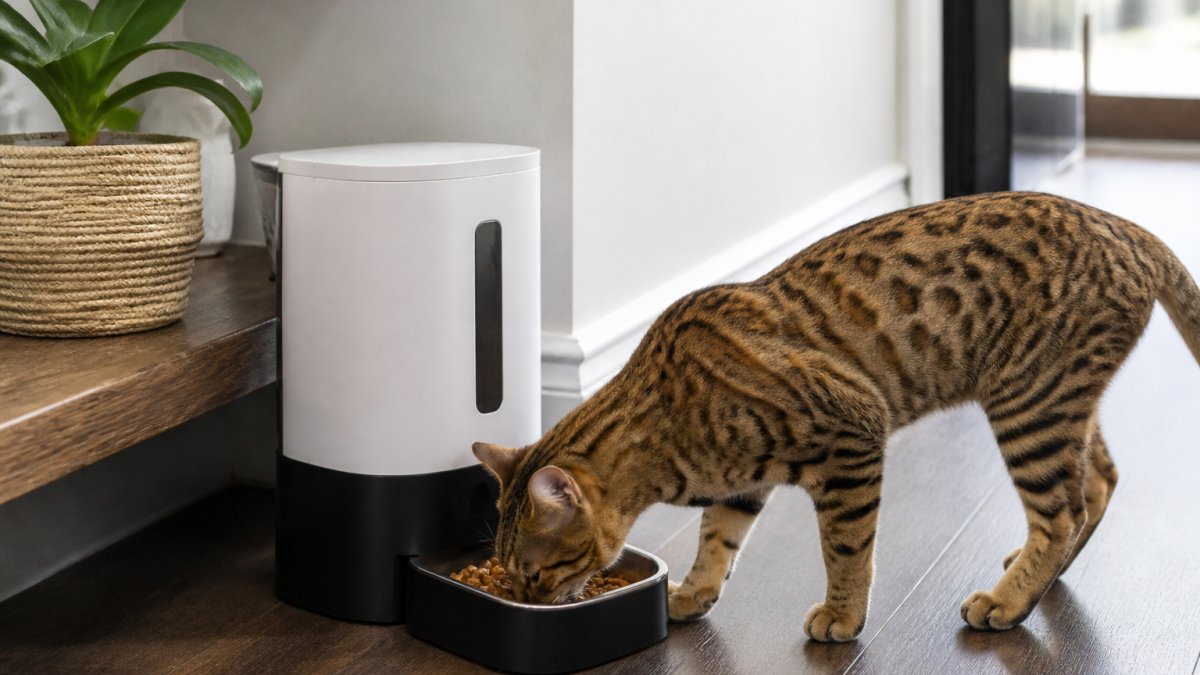
 listicle
Smart Pet Feeders 2026: Reviews & Buying Guide
Table of Contents
- What Makes a Smart Pet Feeder Worth Your Money
- Key Features to Look for in a Smart Pet Feeder
- 6L Smart Automatic Pet Feeder with WiFi & Camera
- 5.5L Programmable Pet Feeder for Cats and Dogs
- How to Set Up a Smart Pet Feeder: Step-by-Step
- Benefits of Automatic Pet Feeders for Your Pet's Health
- Common Mistakes to Avoid When Using Smart Feeders
- Frequently Asked Questions
Last Updated: October 3, 2026
What Makes a Smart Pet Feeder Worth Your Money
Smart pet feeders are automatic feeding devices that dispense meals on a schedule you control from your phone, often with built-in monitoring features like cameras and voice recording. At Bentley's Bark, we've curated smart pet feeders that solve real feeding challenges: keeping your pets on schedule, preventing overfeeding, and giving you peace of mind when you're away.
Scheduled feeding helps manage pet weight, reduces anxiety in pets who eat too quickly, and eliminates the guesswork of portion control.
Not all smart feeders are equal. The best ones balance smart features with reliable mechanical backup, reasonable capacity, and honest design.
Key Features to Look for in a Smart Pet Feeder
Hopper capacity matters more than marketing suggests. A 5.5-litre or 6-litre hopper holds roughly 10-14 days of kibble for a medium dog. Smaller hoppers force frequent refills, defeating the convenience purpose.
Power redundancy is non-negotiable. Look for dual power supply: standard plug-in with battery backup. This ensures meals happen even during outages.
Portion control precision prevents overfeeding. The best feeders let you set exact portion sizes and schedule multiple meals per day. Vague portion settings lead to weight creep.
App connectivity and reliability determine whether you'll actually use remote features. Test WiFi signal strength in the room where you'll place the feeder before committing.
Anti-jam technology prevents the most common failure mode. Feeders with a wide dispensing chute and smooth internal surfaces jam less.
Material durability affects longevity. Removable bowls and accessible hoppers are practical features that prevent mold and bacterial buildup.
| Feature | Why It Matters | Red Flag |
|---|---|---|
| Hopper Capacity | Fewer refills, longer intervals between fills | Under 5 litres for dogs; under 3 litres for cats |
| Battery Backup | Meals continue during power loss or WiFi outages | No backup power option |
| Portion Control | Prevents overfeeding and weight gain | Only preset portion sizes, no custom amounts |
| App Stability | Remote feeding and monitoring actually work | Frequent disconnects or app crashes |
| Anti-Jam Design | Fewer mechanical failures and clogs | Narrow chute or reports of blockages |
| Cleaning Access | Easy maintenance prevents mold and bacteria | Sealed design or hard-to-reach bowl |
6L Smart Automatic Pet Feeder with WiFi & Camera
The 6L Smart Automatic Pet Feeder with WiFi & Camera is our top pick for pet parents who want real monitoring and remote control at $109.95.
The built-in camera lets you watch your pet eat in real time. The WiFi-connected app lets you schedule meals, dispense food remotely, and set up to 6 meals per day with custom portion sizes.
The 6-litre capacity holds enough kibble for multiple days. Voice recording lets you call your pet to their bowl. Dual power supply with battery backup ensures meals continue during outages.
If your home WiFi is unreliable, the app features become less useful. The feeder still dispenses meals on schedule locally, but you lose remote control and camera monitoring during outages.
Bentley's Bark includes free shipping on this feeder.
5.5L Programmable Pet Feeder for Cats and Dogs
The 5.5L Programmable Pet Feeder for Cats and Dogs is the best choice if you want core feeding automation without WiFi complexity at $109.95.
This feeder uses a straightforward approach: set feeding times and portion sizes directly on the device using a user-friendly interface. No app required. No WiFi dependency. If you prefer simplicity or have unreliable internet, this removes a layer of potential frustration. The 5.5-litre capacity suits most dogs and cats.
The feeder comes in black and white, designed to blend into kitchen décor rather than announce "pet stuff" visually. This matters if you're picky about how your space looks. The durable ABS plastic construction withstands daily use.
What you're trading: no remote feeding, no camera, no app control. If you travel frequently and want to dispense an extra meal remotely, this feeder won't do that. If you want to check in on your pet during the day, you'll need a separate pet camera. For households with predictable routines and stable internet isn't a priority, this is a solid, no-nonsense choice.
How to Set Up a Smart Pet Feeder: Step-by-Step
Getting a smart feeder working correctly takes about 15 minutes. Most setup failures happen because people rush or skip small steps. Here's the process that actually works.
Step 1: Choose the Location (5 minutes)
Place the feeder on a level, dry surface away from direct sunlight. Avoid spots where water splashes or where the feeder will sit in bright light all day (fading and potential heat buildup). If you're using a WiFi-enabled feeder, test the signal strength where you plan to place it. Move your phone to that spot and check your WiFi signal bars. If bars drop below three, consider moving the router or using a WiFi extender.
Place the feeder where your pet can access it easily but where you can also access it for refilling and cleaning. A corner away from main foot traffic works well, it gives your pet privacy and keeps the feeder out of the way.
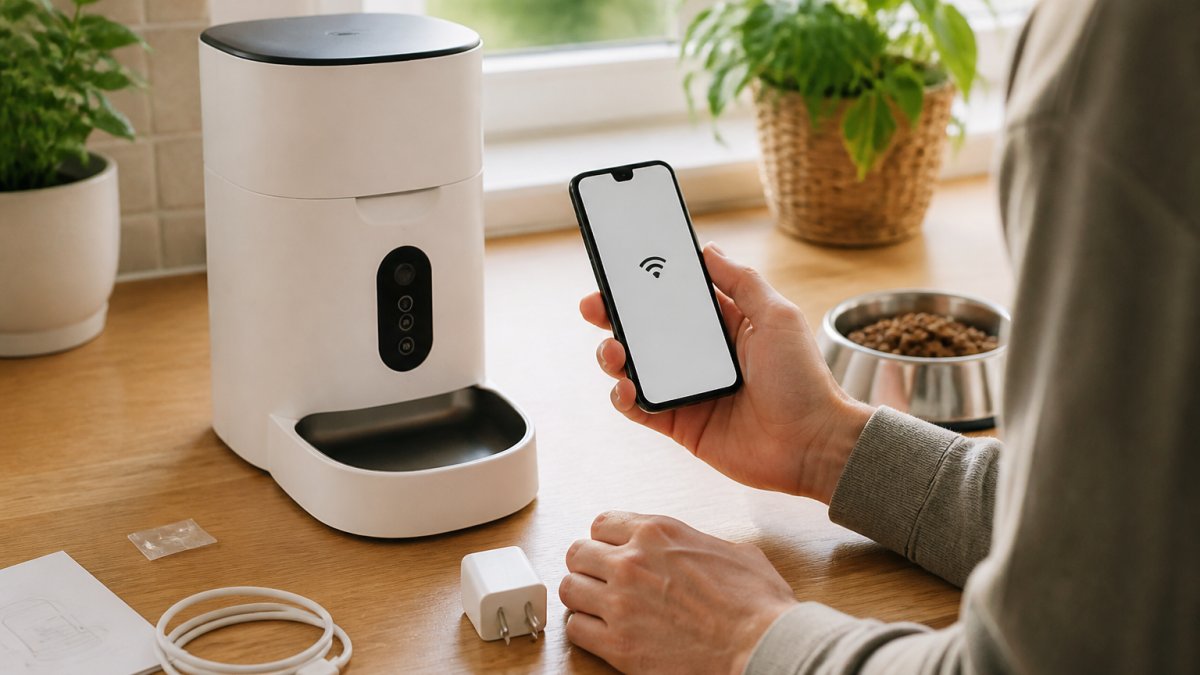
Step 2: Fill the Hopper (3 minutes)
5.5L Programmable Pet Feeder for Cats and Dogs →
Pour kibble into the hopper until full. Don't overstuff, kibble should flow freely without jamming at the opening.
Step 3: Connect Power and Test Mechanical Function (2 minutes)
Plug in the feeder. If it has battery backup, insert batteries now (usually AA or AAA; check the manual). Press the manual dispense button to confirm the motor runs and kibble drops into the bowl. Listen for smooth operation, grinding or stuttering sounds suggest a jam. Clear any blockage before proceeding.
Step 4: Set Feeding Schedule (3 minutes)
For non-WiFi feeders, use the control panel buttons to set meal times and portion sizes. For WiFi-enabled feeders, download the app, create an account, and follow the pairing instructions. Most apps walk you through connecting the feeder to your WiFi network step-by-step. This is where most people get stuck: if the app won't find your feeder, move your phone closer to the feeder or restart your WiFi router.
Step 5: Run a Test Cycle (2 minutes)
Set the feeder to dispense in 5 minutes. Watch it complete that cycle. Confirm the right amount of food drops and the bowl fills correctly. Adjust portion sizes if needed. Only after a successful test should you trust the feeder with your pet's regular meals.
Step 6: Introduce Your Pet Gradually (ongoing)
Don't leave your pet alone with the feeder on day one. Let them eat from it manually first, then set one automated meal while you're home. Watch how they react. Some pets are hesitant about mechanical feeders; others dig in immediately. Once your pet eats confidently from the feeder, you can expand to multiple scheduled meals.
Benefits of Automatic Pet Feeders for Your Pet's Health
Scheduled feeding changes pet behavior in measurable ways. The most obvious benefit is weight management. Pets who eat from a bowl all day, or whose owners free-feed, often overeat simply because food is available. A feeder that dispenses specific portions at set times removes temptation and prevents excess calorie intake.
Slower eating improves digestion. When meals are portioned and scheduled, pets eat more deliberately. Some feeders, like the puzzle feeders and slow-feeder toys in Bentley's Bark's collection, force your pet to work for food, which naturally slows consumption and provides mental stimulation.
Reduced anxiety often follows routine. Pets thrive on predictability. When meals arrive at the same time every day, your pet's body adjusts. They stop pacing the kitchen at random times or pestering you for food. This is especially valuable for anxious pets or those with food-guarding behaviors, a consistent schedule reduces stress-driven eating.
Better portion control prevents the weight creep that many pet parents don't notice until their vet mentions it. A feeder that measures exact amounts removes the guesswork of "a handful of kibble" or "fill the bowl halfway." Over months, this precision prevents the extra 5-10 pounds that shorten a pet's lifespan and increase joint stress.
Remote feeding solves the problem of missed meals during travel or unexpected schedule changes. If you're stuck at work late or away overnight, you can dispense an extra meal from your phone rather than worrying your pet is hungry. This peace of mind is worth the investment alone for many pet parents.
Common Mistakes to Avoid When Using Smart Feeders
The most frequent mistake is overfilling the hopper on day one and assuming the feeder will work for weeks. Refill the hopper every 5-7 days, even if kibble remains. This keeps food fresh and prevents mechanical issues.
Ignoring WiFi connectivity problems is another common trap. If your feeder keeps disconnecting from the app, don't just accept it. Move the router closer, use a WiFi extender, or switch to a 2.4GHz network (some feeders don't work on 5GHz). A disconnected feeder is useless for remote features, so troubleshoot this early.
Skipping the test cycle leads to surprises. Setting up the feeder, walking away, and hoping it works is how you end up with an overfed pet or a jammed feeder. Always run at least one test meal while you're home and watching. Confirm portion size, timing, and mechanical function before relying on it.
Not cleaning the feeder regularly allows bacteria and mold to grow inside the hopper and bowl. Empty and wash all food-contact surfaces weekly. Use warm soapy water and dry thoroughly before refilling. A moldy feeder defeats the purpose of improving your pet's health.
Choosing a feeder based on price alone often backfires. The cheapest option frequently has reliability issues: weak motors, poor app stability, or jams. Spending on a feeder from Bentley's Bark that's been curated for quality means fewer headaches and a longer-lasting tool. We hand-pick products that solve real problems, not just the cheapest option.
Choosing the right smart pet feeder comes down to your household's needs and your internet reliability. If you want monitoring and remote control, the 6L Smart Automatic Pet Feeder with WiFi & Camera is our top recommendation, it delivers real peace of mind. For simpler setups, the 5.5L Programmable Pet Feeder for Cats and Dogs handles consistent feeding without WiFi complexity. Both ship free from Bentley's Bark, and both come with our commitment to quality that actually works for your pets. Start with the right feeder, follow the setup steps carefully, and you'll see real changes in your pet's eating habits and overall health within weeks.
Frequently Asked Questions
What is the best smart pet feeder for multiple pets with different feeding schedules?
The 6L Smart Automatic Pet Feeder with WiFi & Camera excels for multi-pet households because it supports up to 6 meals per day with customizable portion sizes. You can schedule different feeding times and amounts for each pet through the mobile app, making it ideal for homes with cats and dogs on separate routines. The large 6L capacity means fewer refills when managing multiple animals.
Can I monitor my pet's eating habits through a mobile app on a smart pet feeder?
Yes. The 6L Smart Automatic Pet Feeder includes a built-in WiFi camera and app control that lets you watch your pet eat in real time, record feeding moments, and receive push notifications when meals are dispensed. You can also trigger remote feeding from anywhere using your phone, giving you real-time visibility into your pet's eating patterns and behavior.
Do veterinarians recommend automatic feeders for portion control and pet weight management?
Automatic feeders are widely recognized for supporting portion control and healthy weight management. Both programmable and smart models allow precise meal sizing, which helps prevent overeating. The 5.5L Programmable Pet Feeder and 6L Smart model both feature customizable portion controls, making it easier to stick to veterinary feeding recommendations and monitor your pet's calorie intake consistently.
What happens to a smart pet feeder if my WiFi drops or the power goes out?
The 6L Smart Automatic Pet Feeder has dual power supply with battery backup, so scheduled meals continue even during power outages. If WiFi drops, the feeder still operates on its stored schedule, you just won't have remote access or camera monitoring until the connection returns. The 5.5L Programmable model runs on a standard power adapter.