 how-to
How to Extend GPS Pet Tracker Battery Life
Table of Contents
- GPS Tracker Battery Drain Causes: What Actually Uses Power
- Pet GPS Tracker Power Saving Modes and Settings
- How to Charge a GPS Pet Tracker Battery Correctly
- Cold Weather, Hardware Care, and Battery Health
- Choosing the Best Long Battery Life Pet GPS Tracker
- Troubleshooting Fast Battery Drain on Your GPS Pet GPS Tracker
- Frequently Asked Questions
Last Updated: September 16, 2026
GPS Tracker Battery Drain Causes: What Actually Uses Power
Extending GPS pet tracker battery life starts with knowing where the power goes. A GPS pet tracker draws energy from three systems: location acquisition, data transmission, and idle connectivity. Most owners blame the GPS chip, but the cellular radio is usually the culprit.
Acquiring a GPS signal is relatively cheap; holding a cellular connection to upload that location is expensive. In weak coverage, the tracker boosts transmission power to stay connected, and battery capacity disappears fast.
A dead battery usually means the tracker is working harder than it needs to, not that the device is faulty.
Location Pings and Update Frequency
A location update interval is the gap between each position fix the tracker records and transmits. Shortening it gives more real-time data, but every ping costs power.
Treat it as a trade-off, not a setting to max out. A tracker pinging every 30 seconds drains far faster than one pinging every 5 minutes, and for most pet parents 5 minutes is plenty. The exception is an escape-prone dog near busy roads, where tighter frequency earns its cost.
If your tracker supports adaptive intervals, use them.
Cellular, WiFi, and Bluetooth Connections
Connection method matters as much as frequency. Cellular signal strength determines how much power the radio burns; weak signal means higher transmission power and faster battery degradation per ping.
Pet GPS Tracker Power Saving Modes and Settings
Power-saving mode is the most effective setting most owners never touch. It extends battery life by reducing ping frequency, dimming indicator lights, and limiting background data transmission.
| Setting | Battery Impact | Best For |
|---|---|---|
| High-frequency tracking | Highest drain | Off-leash adventures, escape-prone pets |
| Balanced mode | Moderate drain | Daily walks, yard time |
| Power-saving mode | Lowest drain | Home, crate rest, overnight |
| Standby mode | Minimal drain | Long periods indoors |
Safe Zones and Geofencing
Geofencing is a virtual boundary around a location, such as your home, that tells the tracker when your pet is inside or outside it. Inside the boundary, the tracker drops to low power consumption because there's nothing urgent to report.
Standby Mode and Firmware Updates
Standby mode keeps the tracker connected but idle, using minimal power for a network heartbeat. It's right for overnight or long indoor stretches.
How to Charge a GPS Pet Tracker Battery Correctly
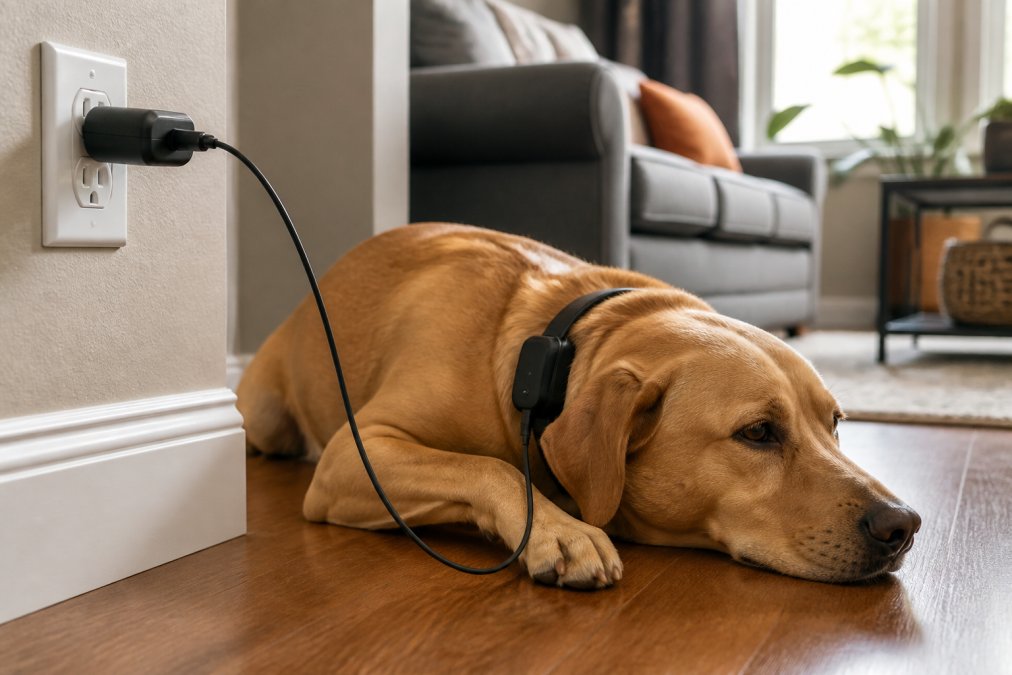
Correct charging is where most batteries are quietly damaged. GPS pet trackers use lithium-ion cells, and that chemistry degrades fastest when kept at 100% charge or drained to zero repeatedly.
The Voltage Curve Behind the Advice
A single lithium-ion cell operates between roughly 3.0 volts (empty) and 4.2 volts (full). The charger runs a two-stage process: constant-current delivers a steady current until the cell reaches about 4.2 volts, then constant-voltage holds that voltage while current tapers off. The cell is only truly full when current drops to a small fraction of the starting rate.
Cycle Life in Plain Terms
A charge cycle is one full discharge from 100% to 0% and back. Most lithium-ion cells in small wearables are rated for a few hundred to around a thousand cycles before capacity drops to roughly 80% of original. Partial charges count fractionally: two discharges from 100% to 50% equal one cycle, so shallow, frequent top-ups are gentler than deep discharges.
Heat, Fast Chargers, and Cable Choice
Heat is the other enemy. Charging in direct sun or on a warm surface accelerates degradation, and a cell that gets hot ages faster than one that stays cool. If the tracker feels warm during charging, move it to a cooler spot.
GPS Tracking Collar for Medium to Large →
Charging Contacts and Partial Charges
Dirty or corroded charging pins frequently cause "the battery drains fast" complaints that have nothing to do with the cell. A resistive film can make the charger terminate early, leaving a partial charge the app reports as full. If runtime seems short after a charge, clean the pins with a dry cloth before assuming the battery is failing.
When to Replace Rather Than Recharge
A battery two or more years old, or through several hundred cycles, may be at the end of its useful life. Signs include runtime dropping sharply after a full charge, shutdowns under load, or a swollen cell. A replacement cell is usually the cheapest fix, far less expensive than replacing the whole device.
Cold Weather, Hardware Care, and Battery Health
Cold weather hits lithium-ion chemistry harder than most owners realize. In freezing temperatures, internal resistance rises, so the battery delivers less usable capacity and reports a lower percentage than it holds. A tracker lasting a week in summer may last three days in a deep cold snap.
What Cold Actually Does to the Cell
Lithium-ion cells rely on lithium ions moving between anode and cathode through an electrolyte. As temperature drops, the electrolyte thickens, ion mobility slows, and internal resistance climbs. The result is voltage sag under load: the power management chip sees lower voltage, assumes the battery is nearly empty, and throttles or shuts down early. Once warm again, much of that apparent capacity returns.
Heat Is the Other Half of the Equation
Heat accelerates the chemical reactions that age a lithium-ion cell. Leaving a tracker on a dashboard in summer sun, or charging on a warm surface, pushes the cell above its operating range and shortens its life. Sustained exposure outside the design temperature band is one of the fastest ways to lose capacity.
Hardware Maintenance Most Guides Skip
Physical condition matters as much as software settings: a dirty contact, swollen battery, or cracked housing reduces efficiency and can mimic a failing cell.
- Charging pins and contacts. Skin oils, dust, and moisture create a resistive film that forces the charger to work harder and can cause partial charges that look like rapid drain. Wipe the pins with a dry, lint-free cloth monthly, and use a soft brush if you see corrosion.
- Collar and housing wear. A cracked housing lets moisture reach the electronics, causing parasitic drain even when the tracker is off. Inspect the seal around the charging port and the housing seams.
- Battery swelling. A swollen lithium-ion cell is a safety issue, not just a performance one. If the body bulges or the battery no longer sits flush, stop using it and replace the battery or unit.
- Cable condition. A frayed or bent cable delivers inconsistent current. If charging times have crept up, test with a known-good cable before assuming the battery is failing.
Storage and Seasonal Transitions
If you store a tracker for a season, don't leave it at 100% or 0%. A partial charge around the middle of the range is least stressful for a lithium-ion cell during long storage. Recharge every few months so voltage doesn't drop low enough for the protection circuit to lock out the battery.
Choosing the Best Long Battery Life Pet GPS Tracker
The best long battery life pet GPS tracker balances capacity against honest real-world runtime, not the box's marketing claim. Look for adaptive tracking, geofencing support, and a battery you can actually replace.
When comparing options, weigh these factors:
- Replaceable battery versus sealed
- Adaptive update intervals built in
- Geofencing and safe zone support
- Real-world runtime reported by owners, not spec sheets
Troubleshooting Fast Battery Drain on Your GPS Pet GPS Tracker
If runtime drops suddenly, work through the causes in order. Most fast-drain problems trace back to settings, signal, or a failing battery, not a broken device.
- Check your update interval. A recent app update may have reset it to high frequency.
- Review network coverage in your area. Weak cellular signal forces higher transmission power.
- Disable unused features. Live audio, LED lights, and vibration alerts all draw power.
- Inspect the charging contacts. Dirty pins cause partial charges that look like fast drain.
- Test battery health. A battery that's two or more years old may simply be at the end of its charging cycles.
Frequently Asked Questions
What is the battery life of a GPS dog tracker?
Battery life varies by model and settings. A GPS pet tracker using active tracking with frequent location updates may last 1-3 days, while one in standby mode with safe zones enabled can stretch to a week or more. Real-time tracking, poor cellular signal, and cold weather all shorten that window. Checking your device's specifications and adjusting update intervals gives you the most accurate expectation for daily use.
Why does my pet GPS tracker battery drain so quickly?
The most common GPS tracker battery drain causes are frequent location pings, weak cellular signal strength, and constant Bluetooth or WiFi scanning. When a tracker struggles to acquire a GPS signal, it works harder and consumes more power. Enabling power saving modes, setting up safe zones, and reducing location update intervals are the fastest ways to slow the drain without losing useful tracking.
How can I optimize my GPS tracker settings for longer battery life?
Start by increasing the location update interval to every 5 or 10 minutes when your pet is home. Set up geofencing safe zones so the tracker switches to low power consumption inside those areas. Turn off Bluetooth when you are not using it, and keep firmware updates current. These pet GPS tracker power saving modes can significantly extend standby time between charges.
Does cold weather affect pet GPS tracker battery performance?
Yes. Lithium-ion battery chemistry slows in cold temperatures, which reduces battery capacity and can cut runtime by 20-40% depending on how cold it gets. If your dog spends time outdoors in winter, bring the tracker inside when possible, charge it at room temperature, and expect shorter intervals between charges. A tracker with a larger battery capacity handles cold snaps better.